


This blog was originally published on June 22, 2021, and updated on June 22, 2024, with new information.
When choosing the best features for a child care mobile app, remember that the average person spends 4 hours and 37 minutes looking at their phone every day. That means a daycare app must be useful for parents to exchange important information with caregivers, but also to do much more.
Let’s take a closer look at the features and benefits of a child care app and what to look for when choosing one for your child care business.

What is a Family Engagement App?
A family engagement app, also known as a daycare app or a teacher parent communication app, facilitates interaction and engagement between parents and the educators who work with their kids in child care programs. With a family engagement app, educators can use a desktop computer, tablet or a mobile device to send and receive messages, share photos and video as well as deliver daily reports to parents.
Daycare apps may be used by child care providers, public school teachers, after school program leaders or early childhood educators to connect with parents and relay information like upcoming lesson plans, event schedules and developmental progress updates.
Daycare apps make it easier for parents and educators to connect, build trust, share information and resources, and solve problems to improve each child’s care and developmental outcomes.
Let’s take a closer look at some of the most important features you should look for when choosing a child care app for your center.
Choosing a Child Care App: Most Important Features
To help you choose the best app for your center, we’ve identified seven of the most important features you should look for in a child care app. These seven features will allow your child care business to save time, enhance emergency planning and keep parents in the loop with updates and engagement across multiple channels. They’re everything you need for a successful parent communication strategy!
Feature #1: Direct and Mass In-App Communication with Families
The most important feature for any child care mobile app is the ability to send messages to parents through an in-app interface. Your family engagement app should give you the ability to communicate directly with parents on a one-to-one basis or to send the same message to a group of parents.
The best apps will thread your messages with each family so you can easily look back through your communication history for reference. You’ll also be able to attach an image to each of your contacts, making it easier to remember whom you’re talking with when your center has a lot of customers.
Feature #2: Text Alerts for Emergency Communication

Every child care center must have an emergency plan, which is a set of defined protocols for responding to any emergency situation. The best daycare apps help with this by giving you the ability to send mass text messages in case of an emergency.
Wondering why you might want to send texts instead of in-app messages during an emergency?
Data shows that read rates for texts are 99% or more, and that 90% of text messages are read within three minutes. This makes text messaging the absolute best way to communicate an urgent message to parents.
Feature #3: Pay Tuition
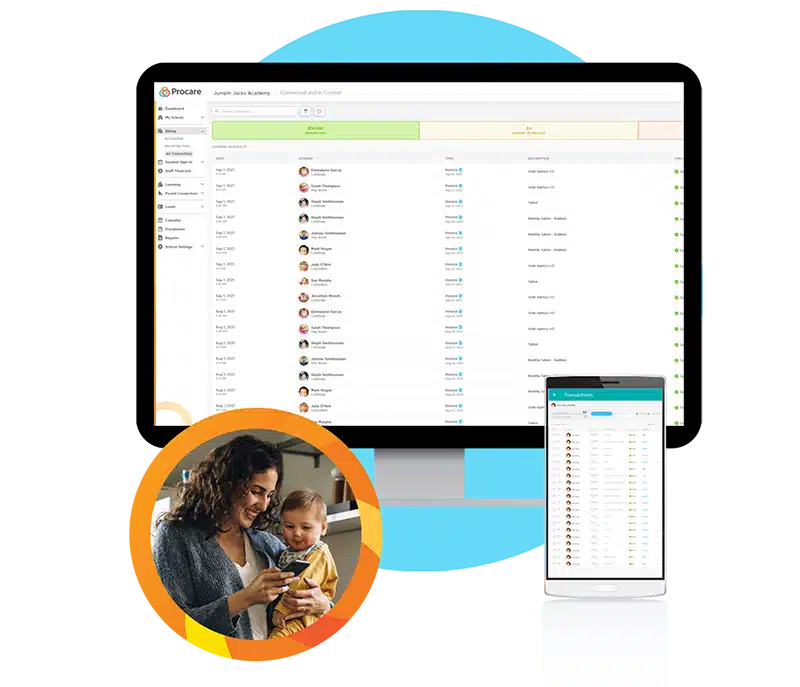
Another feature you should look for in a child care app is the ability to pay tuition through the app.
Make sure the app allows your center to create and send invoices to parents easily. You also should be able manage all billing transactions, payments, refunds and credits from the app.
Families should be able to make online payments — from a checking or savings account, or a debit or credit card — to your center and get a viewable list of transactions.
And your center should have the ability to bill parents based on hourly attendance using information gleaned from the app.
Feature #4: Share Your Child Care Calendar & Event Schedule with Families

The best daycare apps go beyond messaging and provide additional features that help you engage with parents.
One of those is the ability to share a calendar with parents where they can find details on lessons, activities and events you have scheduled. Your child care calendars can include information about what the class is working on, planned activities, upcoming holiday celebrations, scheduled events or field trips and just about anything else you can imagine.
Shared calendars keep parents in the loop on what your center is doing so they can plan to get involved or find ways to supplement their child’s learning with additional activities.
Feature #5: Create and Email Child Care Newsletters
Some family engagement apps give your center the ability to create and email a newsletter about your child center.
Newsletters are a great way to share updates with parents in an engaging format that includes an attractive layout, text and images from your center. Your newsletter can leverage your company logo and brand colors to increase awareness about your business and highlight your professionalism and attention to detail.
Feature #6: Share Digital Daily Activity Reports
The leading child care apps make it easy for child care providers to create and share daily activity reports with parents. Digital daily reports are a great way to provide consistent feedback and communication on how each child is developing and learning to thrive in the child care environment.
Digital reports are easier to fill out. They never get lost or damaged and they’re easy to access if they need to be referenced in the future.
Feature #7: Share Child Care Updates through Photos and Videos

A final feature you should be on the lookout for is the ability to share child care updates through photos and videos.
The best child care apps allow child care providers to share pictures and videos of the most exciting things happening at their centers. That includes birthday celebrations, exhilarating activities and the developmental milestones kids reach as they get older, stronger and smarter.
Parents love to receive picture and video updates that make them feel like they’re an engaged participant in their child’s daily learning.
When combined in the same product, these seven teacher parent communication app features give child care providers the ability to effectively communicate with parents across multiple channels. Below, we outline some of the benefits for programs that adopt and implement a parent communication solution.
Four Benefits of a Child Care Parent Communication App
Enhance Your Center’s Emergency Planning
A parent communication plan gives you the ability to respond to emergencies quickly and decisively, by keeping parents informed with text message alerts that go straight to their mobile phones.
Build Trusting Relationships that Increase Customer Retention
Family engagement apps enable easy two-way communication between parents and child care providers. This gives caregivers the opportunity to build strong relationships of trust and understanding with parents that will lead to long-term customer satisfaction and retention.
Keep Parents Engaged with their Child’s Development
A teacher parent communication app is great for keeping parents involved in their child’s learning. They allow parents to easily access lesson plans, calendars, event schedules and updates from teachers on their child’s progress. Armed with this information, parents can plan activities and learning experiences for their child that complement what they’re learning from their teacher or child care provider.
Quickly Resolve Child Care Issues
Whether it’s a logistics issue or a behavioral issue, daycare apps offer a direct communication line between caregiver and parent that helps everyone get on the same page and shortens the resolution time for child care issues. Parents and child care providers can share real-time updates and resources, form collaborative strategies and truly team up to help kids reach their full potential.
Boost Your Parent Engagement with Procare’s Daycare Communication Features
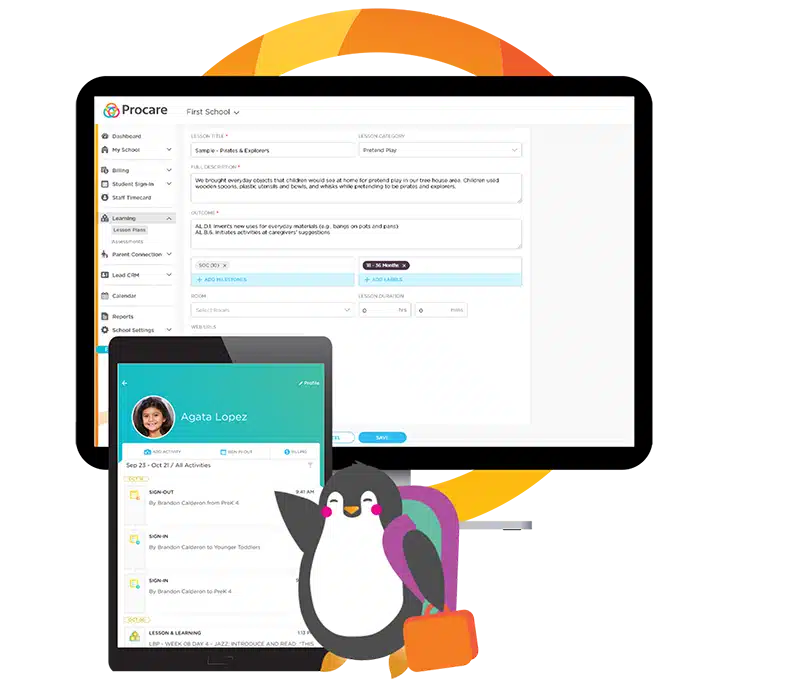
Instant communications and mobile payments have become a necessity in today’s child care business.
Procare’s robust child care management solution has enhanced family engagement functionality and through the child care mobile app, you can immerse parents into their children’s day-to-day activities – from tracking developmental milestones to sharing photos and videos to enabling two-way communication.
Procare’s expertise in child care has also helped us create simple solutions for child care billing, staff management and attendance tracking. From daily communications to emergency situations, Procare will be your all-in-one solution for staying connected with parents and running your center every day.
Ready to get started?